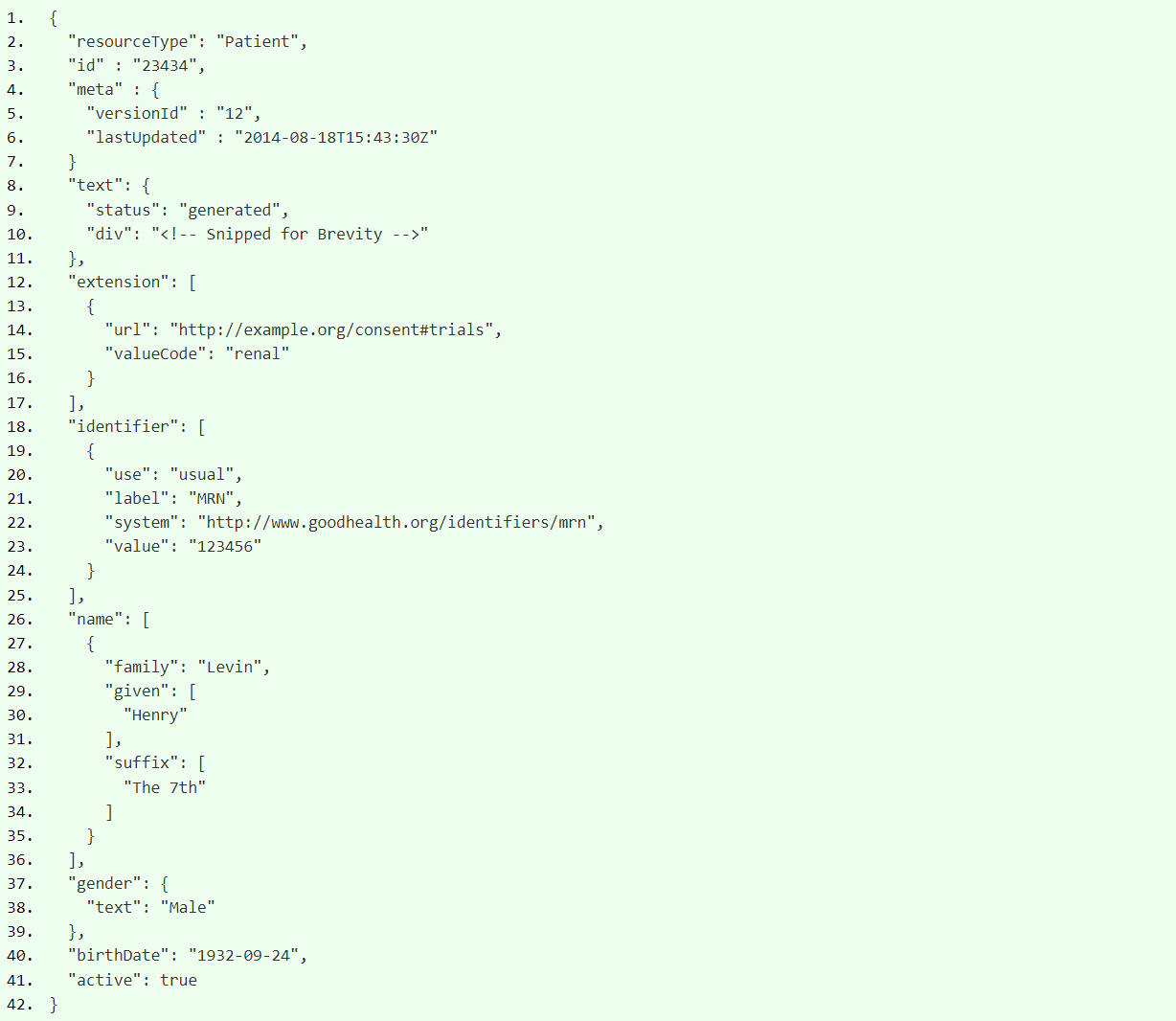
POST https://example.com/base/{resourceType}
下面以patient創建作為說明:1. POST /base/Patient HTTP/1.1
2. Authorization: Bearer 37CC0B0E-C15B-4578-9AC1-D83DCED2B2F9
3. Accept: application/fhir+json
4. Content-Type: application/fhir+json
5. Content-Length: 1198
6.
7. {
8. "resourceType": "Patient",
9. ...(properties)
10. }
1.   HTTP/1.1 201 Created
2.   Content-Length: 161
3.   Content-Type: application/fhir+json
4.   Date: Mon, 18 Aug 2014 01:43:30 GMT
5.   ETag: W/"1"
6.   Location: http://example.com/base/Patient/f001
7.
8.   {
9.     "resourceType": "OperationOutcome",
10.   "text": {
11.      "status": "generated",
12.      "div": "<div xmlns="http://www.w3.org/1999/xhtml">The operation was successful</div>"
13.      }
14.   }
GET https://example.com/base/{resourceType}/{id}
參考下列範例說明:1. GET /base/Patient/f001?_format=xml HTTP/1.1 2. Host: example.com 3. Accept: application/fhir+xml 4. Cache-Control: no-cache
1.   HTTP/1.1 200 OK
2.   Content-Length: 729
3.   Content-Type: application/fhir+xml
4.   Last-Modified: Sun, 17 Aug 2014 15:43:30 GMT
5.   ETag: W/"1"
6.
7.   <?xml version="1.0" encoding="UTF-8"?>
8.   <Patient xmlns="http://hl7.org/fhir">
9.     <id value="347"/>
10.      <meta>
11.         <versionId value="1"/>
12.         <lastUpdated value="2014-08-17T15:43:30Z"/>
14.      </meta>
15.      <!-- content as shown above for patient -->
16.   </Patient>
GET https://example.com/base/{resourceType}?criteria
其中,criteria是一組 HTTP 參數,用於指定要返回的資源。https://example.com/base/MedicationRequest?patient=347
表示傳回上述創建患者範例的所有處方資料。1. HTTP/1.1 200 OK
2. Content-Length: 14523
3. Content-Type: application/fhir+xml
4. Last-Modified: Sun, 17 Aug 2014 15:49:30 GMT
5.
6. {
7. "resourceType": "Bundle",
8. "type": "searchset",
9. "id" : "eceb4882-5c7e-4ca4-af62-995dfb8cef01"
10. "timestamp": "2014-08-19T15:49:30Z",
11. "total": "3",
12. "link": [
13. {
14. "relation" : "next",
15. "url" : "https://example.com/base/MedicationRequest?patient=347&searchId=ff15fd40-ff71-4b48-b366-09c706bed9d0&page=2"
16. }, {
17. "relation" : "self",
18. "url" : "https://example.com/base/MedicationRequest?patient=347"
19. }
20. ],
21. "entry": [
22. {
23. "resource" : {
24. "resourceType": "MedicationRequest",
25. "id" : "3123",
26. "meta" : {
27. "versionId" : "1",
28. "lastUpdated" : "2014-08-16T05:31:17Z"
29. },
30. ... content of resource ...
31. },
32. },
33. ... 2 additional resources ....
34. ]
35. }PUT https://example.com/base/{resourceType}/{id}
{id} 中不需要已經存在資源 , 伺服器可以選擇在指定地址自動創建資源。 以下是更新患者的範例:1. PUT /base/Patient/f001 HTTP/1.1
2. Host: example.com
3. Content-Type: application/fhir+json
4. Content-Length: 1435
5. Accept: application/fhir+json
6. If-Match: 1
7.
8. {
9. "resourceType": "Patient",
10. "id" : "347",
11. "meta" : {
12. "versionId" : "1",
13. "lastUpdated" : "2014-08-18T15:43:30Z"
14. },
15. ...
16. }1. HTTP/1.1 200 OK
2. Content-Length: 161
3. Content-Type: application/fhir+json
4. Date: Mon, 18 Aug 2014 01:43:30 GMT
5. ETag: W/"2"
6. Location: https://example.com/base/Patient/f001/_history/2
7.
8. {
9. "resourceType": "OperationOutcome",
10. "text": {
11. "status": "generated",
12. "div": "<div xmlns="http://www.w3.org/1999/xhtml">The operation was successful</div>"
13. }
14. }1. {
2. "resourceType" : " XXX ",
3. "id" : "12",
4. "meta" : {
5. "versionId" : "12",
6. "lastUpdated" : "2014-08-18T15:43:30Z",
7. "profile" : ["http://example-consortium.org/fhir/profile/patient"],
8. "security" : [{
9. "system" : "http://terminology.hl7.org/CodeSystem/v3-ActCode",
10. "code" : "EMP"
11. }],
12. "tag" : [{
13. "system" : "http://example.com/codes/workflow",
14. "code" : "needs-review"
15. }]
16. },
17. "implicitRules" : "http://example-consortium.org/fhir/ehr-plugins",
18. "language" : "X"
19. }
git clone -b image/v7.0.3 https://github.com/hapifhir/hapi-fhir-jpaserver-starter.git
cd hapi-fhir-jpaserver-starter
vim src/main/resource/Application.yaml
# src/main/resource/Application.yaml
# 修改前
datasource:
   #url: 'jdbc:h2:file:./target/database/h2'
   url: jdbc:h2:mem:test_mem
   username: sa
   password: null
   driverClassName: org.h2.Driver
   # max-active: 15

   # database connection pool size
   hikari:
      maximum-pool-size: 10
# 修改後
datasource:
   #url: 'jdbc:h2:file:./target/database/h2'
   # url: jdbc:h2:mem:test_mem
   # username: sa
   # password: null
   # driverClassName: org.h2.Driver
   url: 'jdbc:postgresql://hapi-fhir-postgres:5432/hapi'
   username: admin
   password: admin
   driverClassName: org.postgresql.Driver
   # max-active: 15

   # database connection pool size
   hikari:
      maximum-pool-size: 10
# src/main/resource/Application.yaml
# 修改前
jpa:
   properties:
      hibernate.format_sql: false
      hibernate.show_sql: false

      #Hibernate dialect is automatically detected except Postgres and H2.
      #If using H2, then supply the value of ca.uhn.fhir.jpa.model.dialect.HapiFhirH2Dialect
      #If using postgres, then supply the value of ca.uhn.fhir.jpa.model.dialect.HapiFhirPostgres94Dialect
      hibernate.dialect: ca.uhn.fhir.jpa.model.dialect.HapiFhirH2Dialect
# 修改後
jpa:
   properties:
      hibernate.format_sql: false
      hibernate.show_sql: false

      #Hibernate dialect is automatically detected except Postgres and H2.
      #If using H2, then supply the value of ca.uhn.fhir.jpa.model.dialect.HapiFhirH2Dialect
      #If using postgres, then supply the value of ca.uhn.fhir.jpa.model.dialect.HapiFhirPostgres94Dialect
      #hibernate.dialect: ca.uhn.fhir.jpa.model.dialect.HapiFhirH2Dialect
      hibernate.dialect: ca.uhn.fhir.jpa.model.dialect.HapiFhirPostgres94Dialect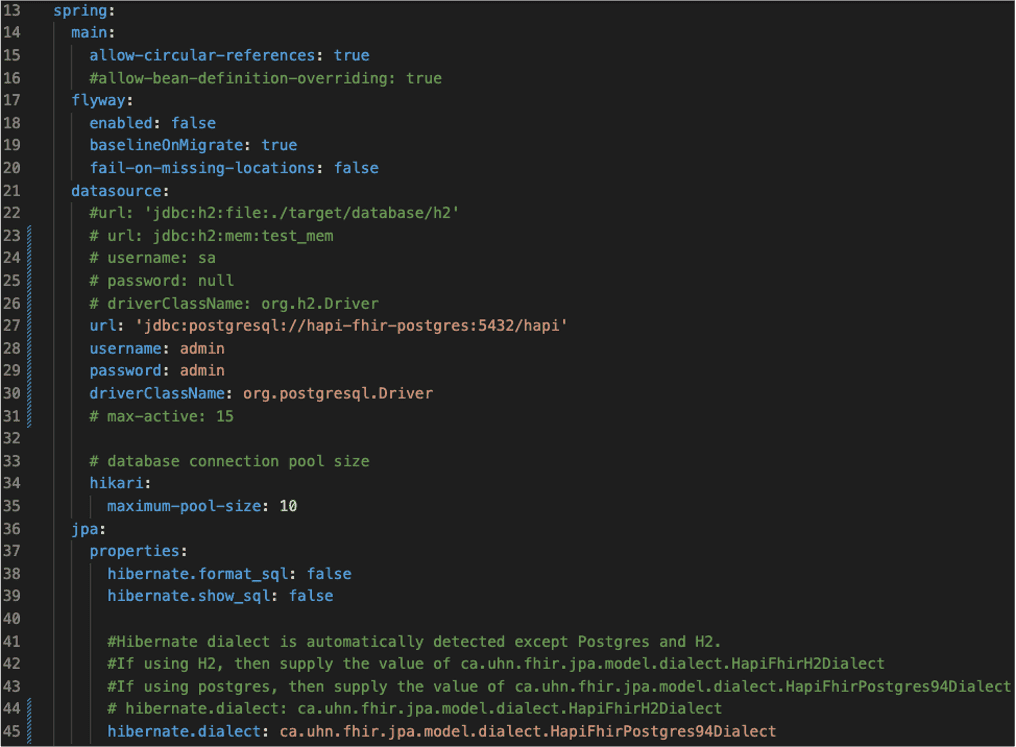
cd hapi-fhir-jpaserver-starter
vim src/main/resource/Application.yaml
# src/main/resource/Application.yaml
# 修改前
hapi:
   fhir:
      ### This is the FHIR version. Choose between, DSTU2, DSTU3, R4 or R5
      fhir_version: R4
      ### Flag is false by default. This flag enables runtime installation of IG's.
      ig_runtime_upload_enabled: false
      ### enable to set the Server URL
      # server_address: http://hapi.fhir.org/baseR4
      # defer_indexing_for_codesystems_of_size: 101
      # install_transitive_ig_dependencies: true
# 修改後
hapi:
   fhir:
      ### This is the FHIR version. Choose between, DSTU2, DSTU3, R4 or R5
      fhir_version: R4
      ### Flag is false by default. This flag enables runtime installation of IG's.
      ig_runtime_upload_enabled: false
      ### enable to set the Server URL
      # server_address: http://hapi.fhir.org/baseR4
      # defer_indexing_for_codesystems_of_size: 101
      # install_transitive_ig_dependencies: true
      server_address: http://140.96.100.3:8080/fhir
defer_indexing_for_codesystems_of_size: 101# src/main/resource/Application.yaml
# 修改前
hapi:
fhir:
tester:
home: Local Tester
server_address: 'http://localhost:8080/fhir'
refuse_to_fetch_third_party_urls: false
fhir_version: R4
# 修改後
hapi:
fhir:
tester:
home: Local Tester
server_address: 'http://140.96.100.3:8080/fhir'
refuse_to_fetch_third_party_urls: false
fhir_version: R4cd hapi-fhir-jpaserver-starter vim src/main/resource/Application.yaml
# src/main/resource/Application.yaml
# 添加如下
hapi:
   fhir:
      install_transitive_ig_dependencies: true
      implementationguides:
      twcore:
         name: tw.gov.mohw.twcore
         version: 0.3.1
packageUrl: 'https://twcore.mohw.gov.tw/ig/twcore/0.3.1/package.tgz'# src/main/resource/Application.yaml
# 添加如下
hapi:
fhir:
validation:
requests_enabled: true
responses_enabled: false# docker-compose.yaml
version: "3"
services:
hapi-fhir-jpaserver-start:
build: .
container_name: hapi-fhir-jpaserver-start
restart: on-failure
ports:
- "8080:8080"
hapi-fhir-postgres:
image: postgres:13-alpine
container_name: hapi-fhir-postgres
restart: always
environment:
POSTGRES_DB: "hapi"
POSTGRES_USER: "admin"
POSTGRES_PASSWORD: "admin"
# 新增對外ports
ports:
- "5432:5432"
volumes:
- hapi-fhir-postgres:/var/lib/postgresql/data
volumes:
hapi-fhir-postgres:cd hapi-fhir-jpaserver-starter # 啟動服務 docker compose up # 關閉並刪除服務 docker compose down # 修改 application.yaml後,需重新建置 docker compose build hapi-fhir-jpaserver-start
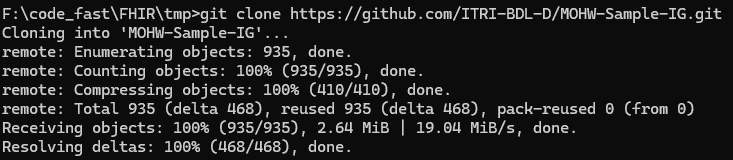
$ git clone https://github.com/ITRI-BDL-D/MOHW-Sample-IG.git
$ cd MOHW-Sample-IG
gem install jekyll bundler
jekyll -v
npm install -g fsh-sushi
sushi help
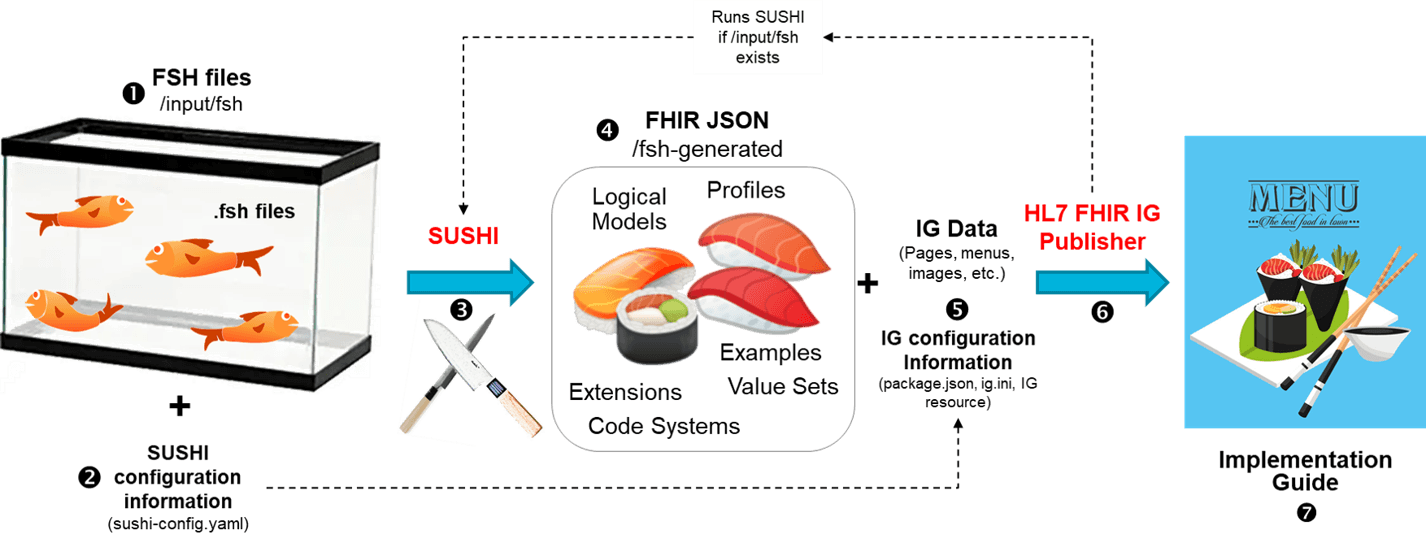
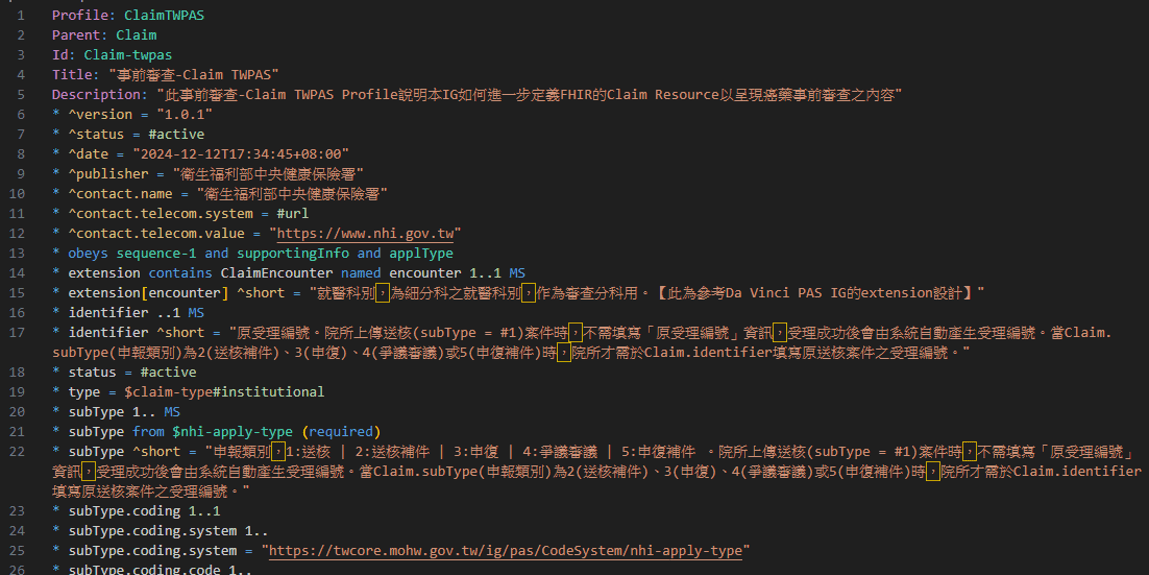
sushi
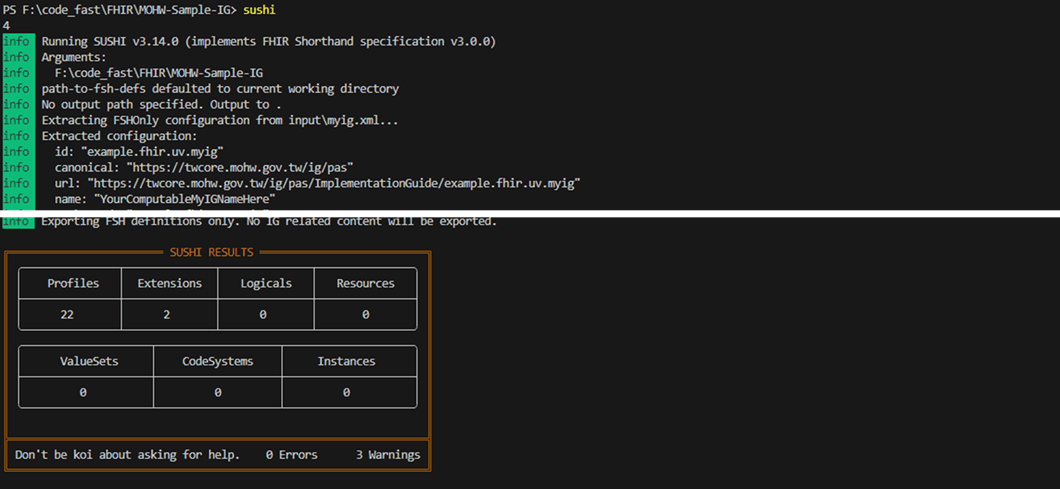
./_updatePublisher.sh
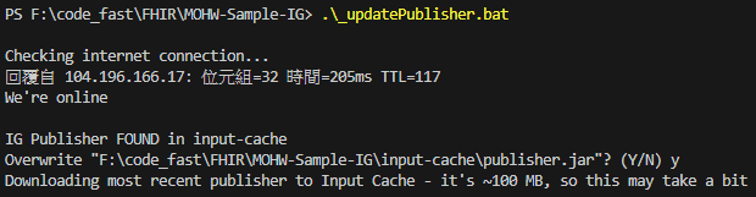
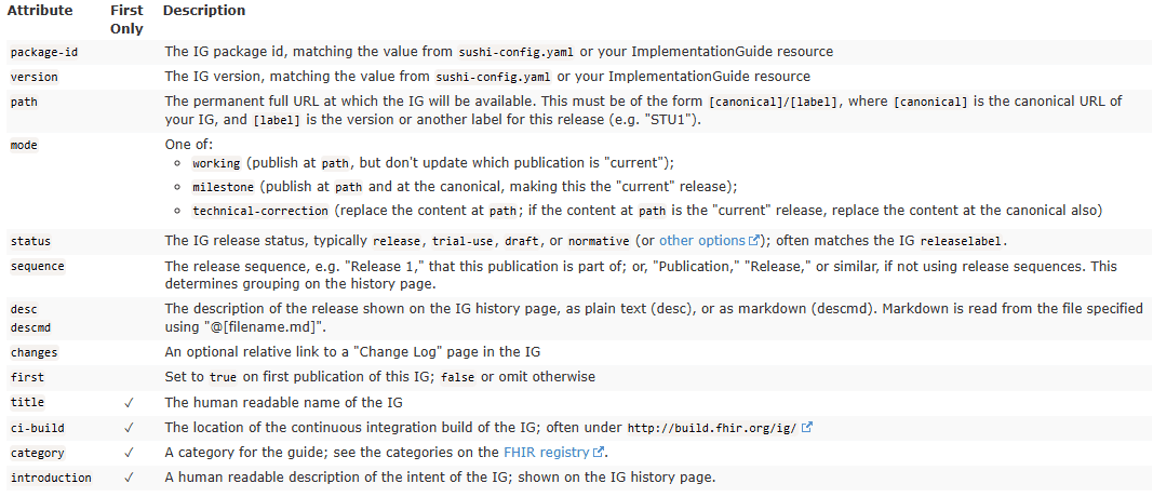
./_genonce.sh
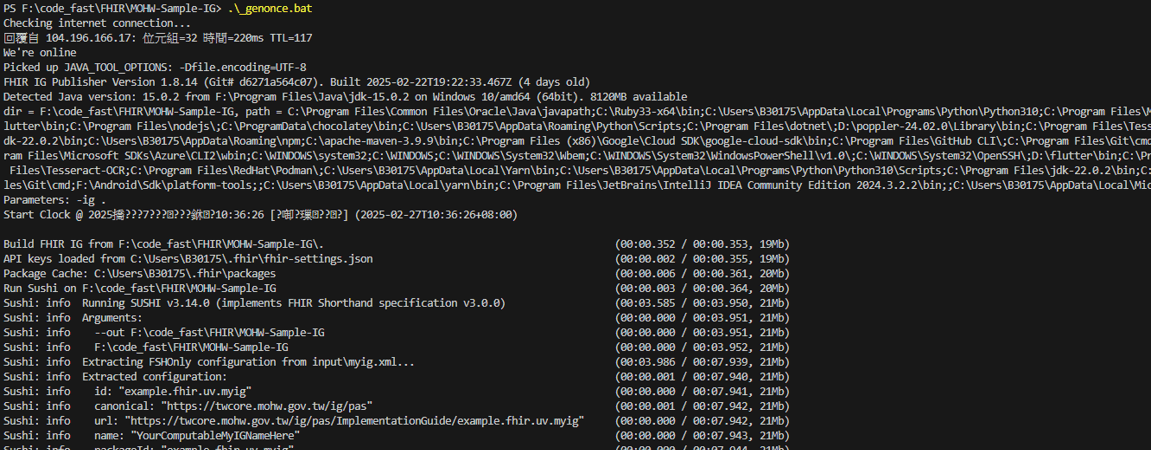
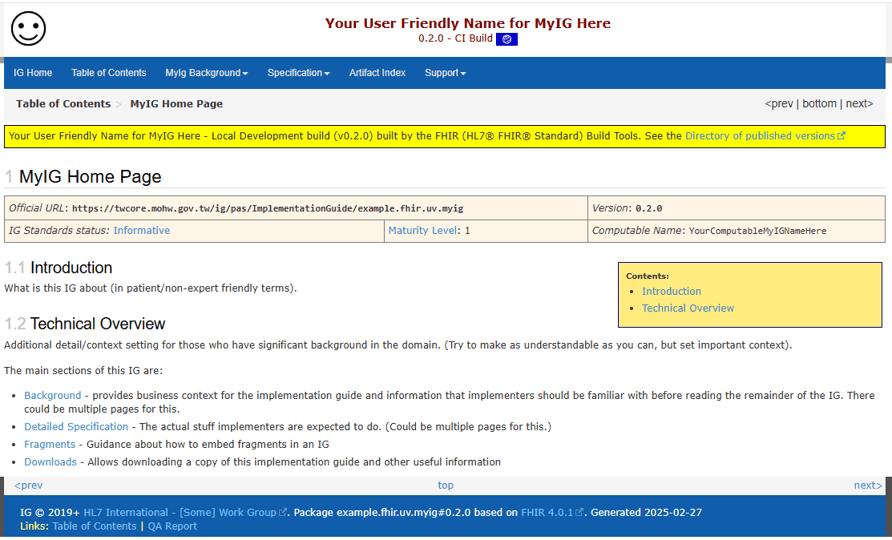
$ git clone git@github.com:HL7/fhir-ig-history-template.git ig-history
$ git clone git@github.com:HL7/fhir-web-templates.git fhir-web-templates
$ git clone git@github.com:FHIR/ig-registry.git ig-registry
$ cd publication
$ mkdir templates webroot
$ cp ../fhir-web-templates/*template* templates
$ cd ~/src/publication
$ java -jar ../publisher.jar -go-publish     -source    /home/username/src/my-ig     -web       /home/username/src/publication/webroot     -history   /home/username/src/ig-history     -registry  /home/username/src/ig-registry/fhir-ig-list.json     -temp      /home/username/src/publication/temp     -templates /home/username/src/publication/templates